Concept · Fintech · Mobile

sWallet

A self-initiated concept: what if a banking app behaved like the wallet in your pocket? sWallet brings every bank account and card into one place, shows cards vertically the way people now pay, and replaces dense dashboards with one clear overview.

Type
Self-initiated concept — not a shipped product
Role
Benchmarking, personas, UX and UI
Scope
Home & dashboard, account list, account and card details — light and dark
Year
2024
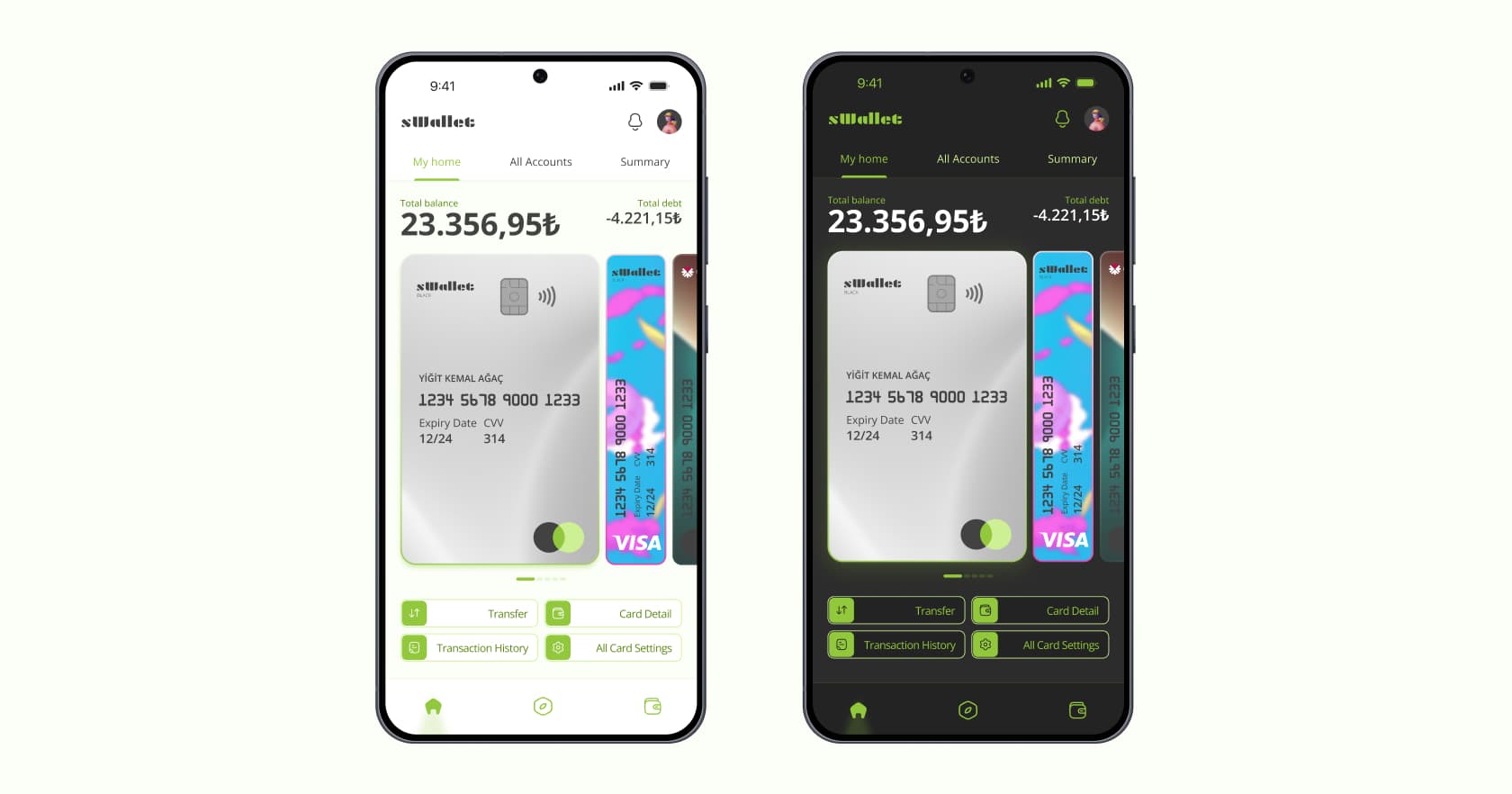
sWallet home screen in light and dark mode, with vertical cards in a swipeable wallet

(01) Brief

A small exercise in changing a few things about banking and seeing how differently it could be presented. Three screens, each with one job.

  1. 01Home & dashboardThe first point after login. At a glance, users should grasp the bank’s vision, what the app can do and how to move around.
  2. 02Account listSee every bank account in one place and pick a specific one.
  3. 03Account detailsSee the details of the selected account and take any further actions.

(02) Benchmark

I compared three traditional banks and two digital-first apps in Turkey on four criteria. Only one product scored on clarity, and only one on personalization — the two gaps sWallet is built around.

CriterionAkbankİş BankasıZiraatPaparaMidas
InterfaceYesYesNoYesYes
ClarityNoNoNoNoYes
PersonalizationNoYesNoNoNo
UsabilityYesNoYesNoYes

(03) Consumer behaviour

  • Cards went verticalWith contactless payments, vertical cards have spread fast — mirroring how much vertical content people now consume.
  • Too many banking appsPeople juggle several apps, each with a very different experience — a steep learning curve and slow adaptation.
  • The phone is the walletPhones now pay, so there’s less need to carry physical cards at all.
  • Banks are going digital-firstEven branch banks are launching digital spin-offs (Tosla, Enpara), while digital-only banking expands quickly.
  • Personal finance matters moreInterest in managing and understanding your own money keeps growing.
  • 20–40s trust new playersYounger adults increasingly trust non-traditional finance apps and expect payment to just work, without interruption.

(04) Personas

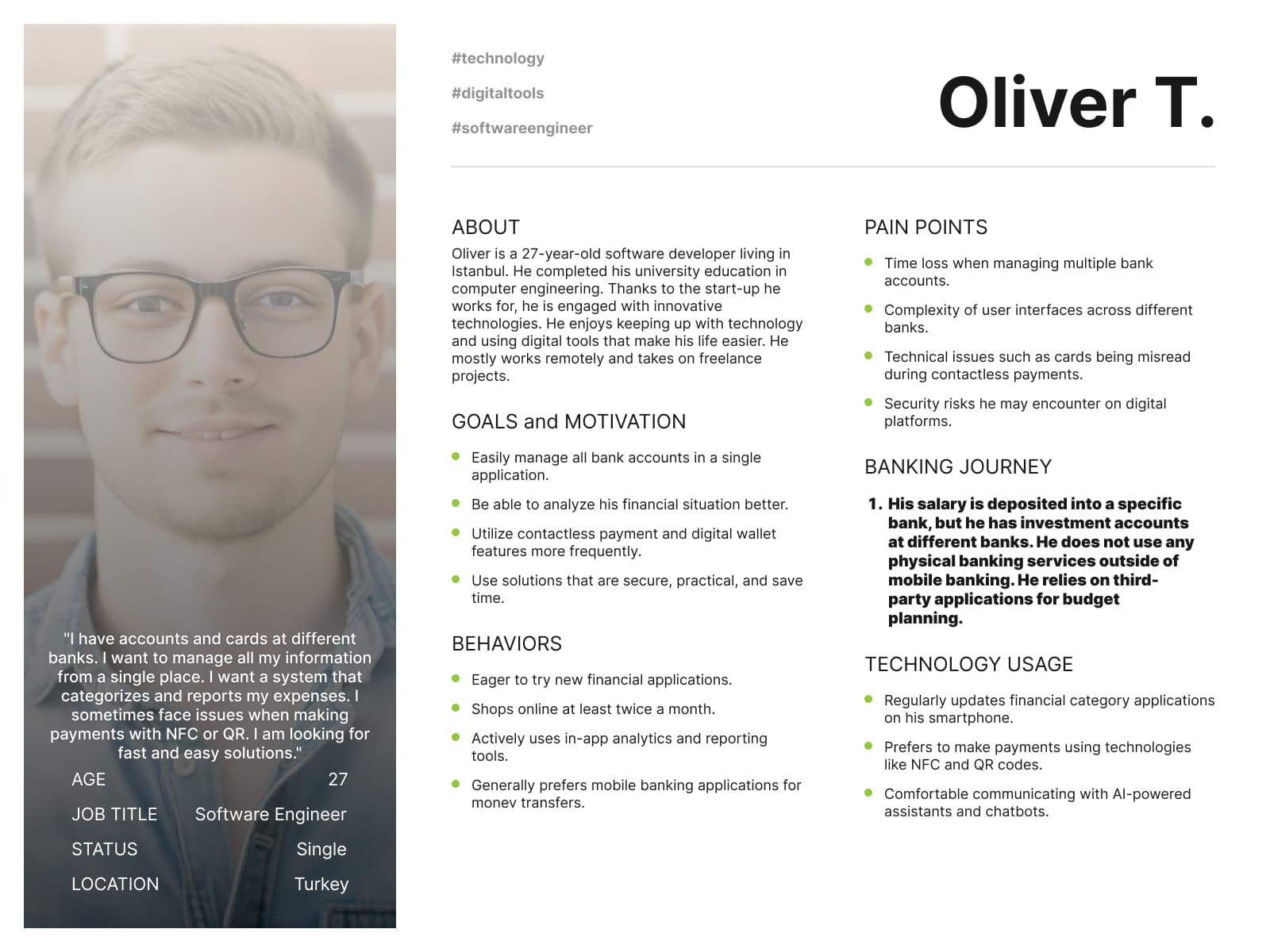
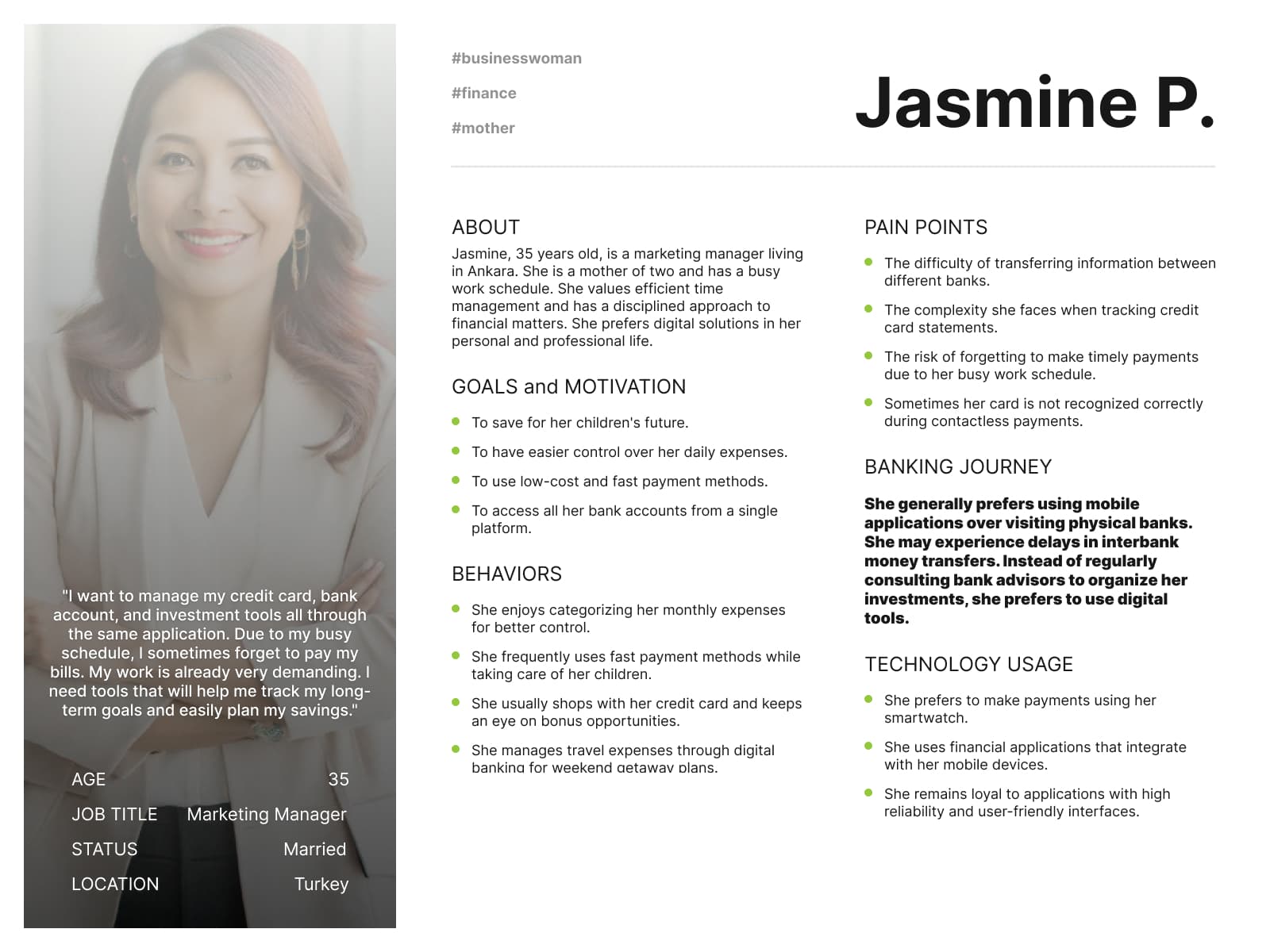
Two personas framed the work. Both hold accounts and cards at several banks, both want one place to see and categorise their money, and both have been let down by contactless payments that don’t read their card.

Persona: Oliver T., 27, software engineer who wants all his bank accounts and cards in one app
Oliver T. — wants every account in one app, with spending categorised and reported.
Persona: Jasmine P., 35, marketing manager and mother who wants cards, accounts and investments in one place
Jasmine P. — a busy schedule; needs reminders, statement tracking and long-term saving goals.

(05) Home & dashboard

A wallet, not a dashboard

The launch screen at the top of this page. I stripped most of the information away and turned it into a single overview that works like the wallet in your pocket.

  1. Vertical cards. They reflect how people hold their phones and how contactless payment works, linking the digital card to the physical one.
  2. Swipe like a real wallet. Users flip through their cards and pay contactless directly with the selected one.
  3. Privacy on the cards behind. Background cards show minimal information — still recognisable at a glance, like in a physical wallet.
  4. The card surface carries the information. Essential details live on the card itself instead of in a separate panel.
  5. Balance and debt first. Since the app is a wallet, total balance and outstanding debt sit at the very top.
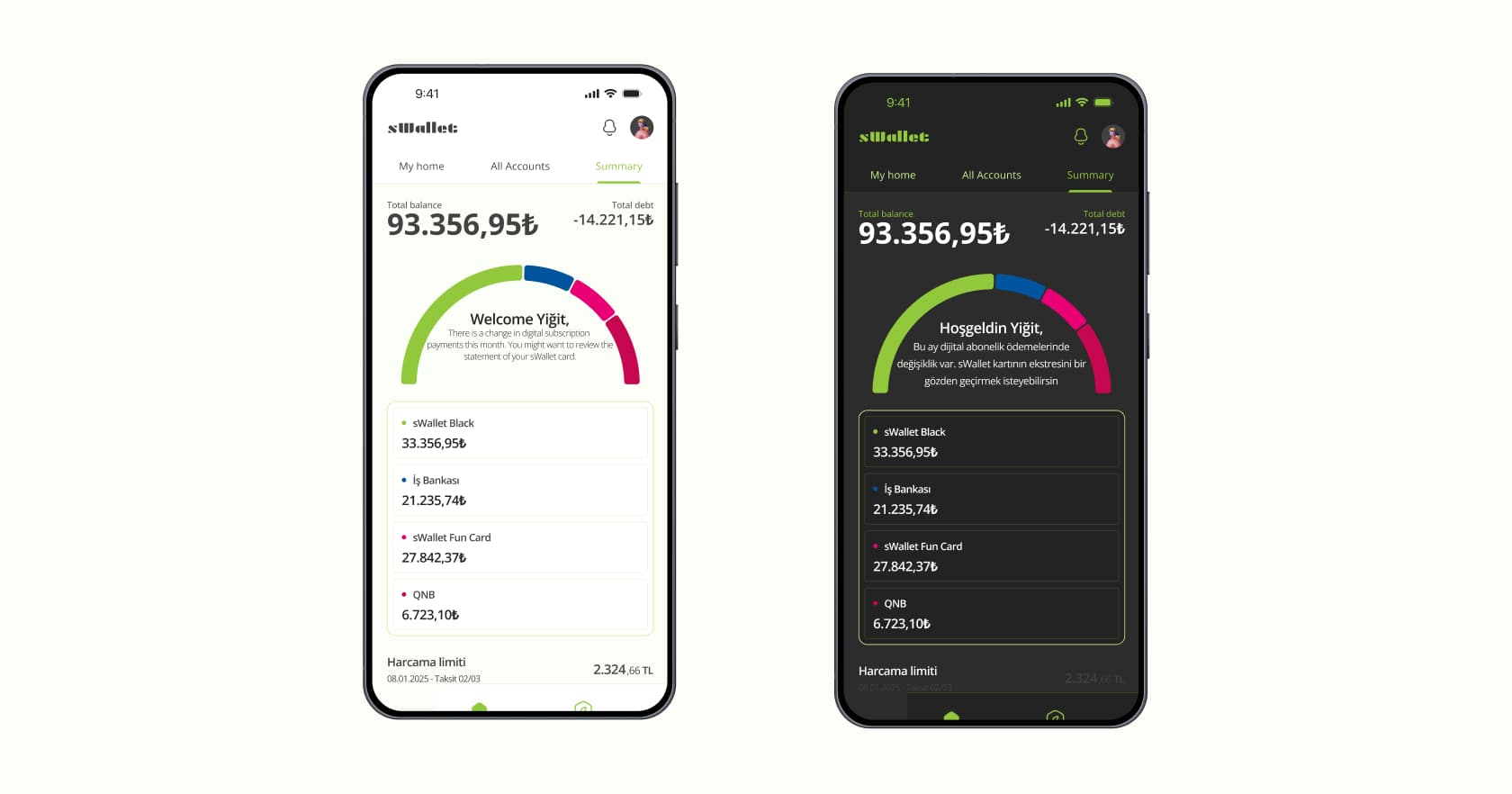
A summary that talks to you

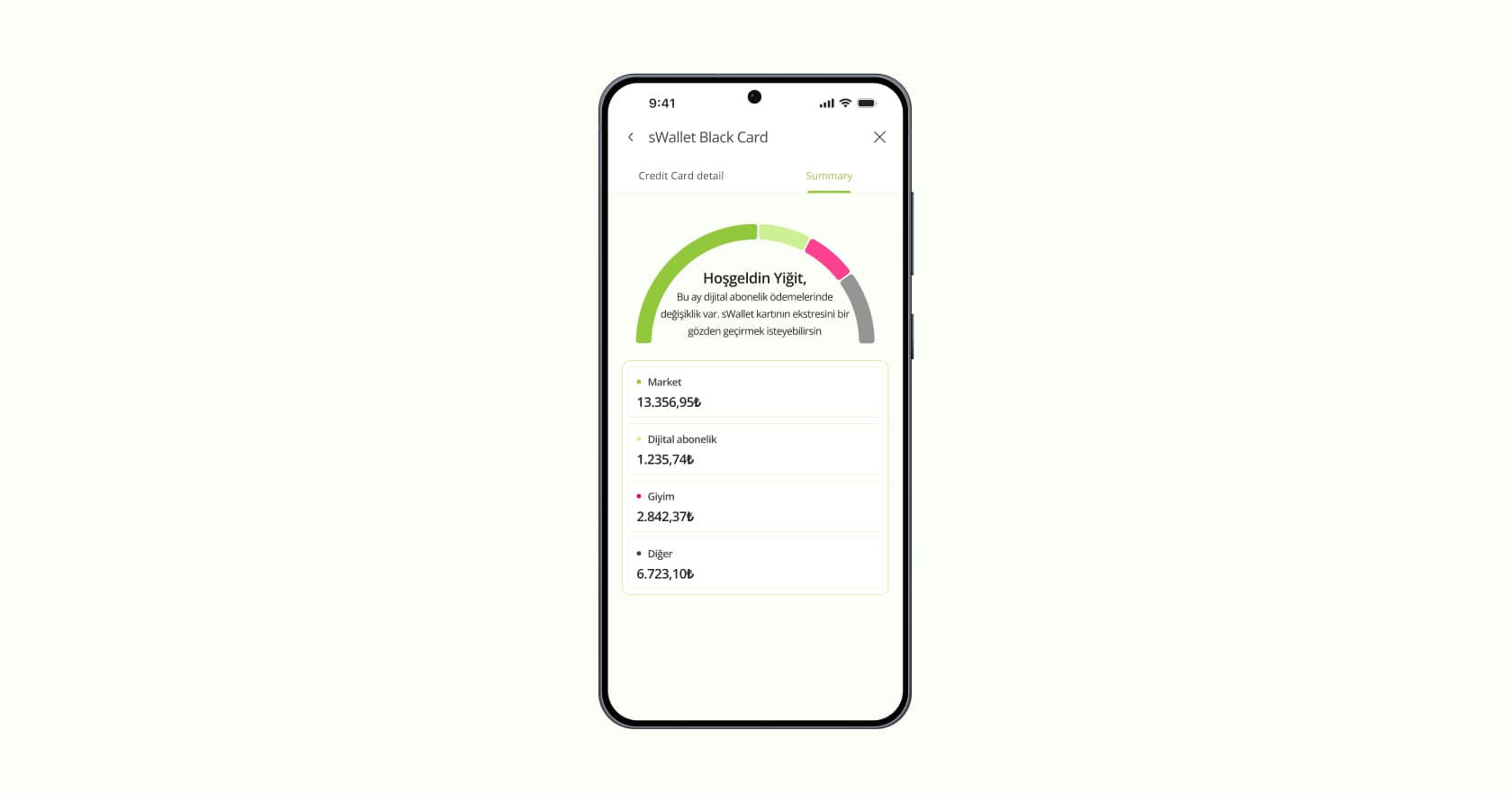
Summary tab in light and dark mode: a spending gauge across banks with a personal message in the centre
  1. The balance stays fixed at the top, for continuity across tabs.
  2. Conversation inside the chart. A short, personal insight sits in the gauge — “There is a change in digital subscription payments this month.”
  3. Where the money goes, across banks. Because the app aggregates several banks, the chart shows where spending is concentrated.
  4. Exact numbers below. For users who want detail, the breakdown sits right under the chart.

(06) Account list

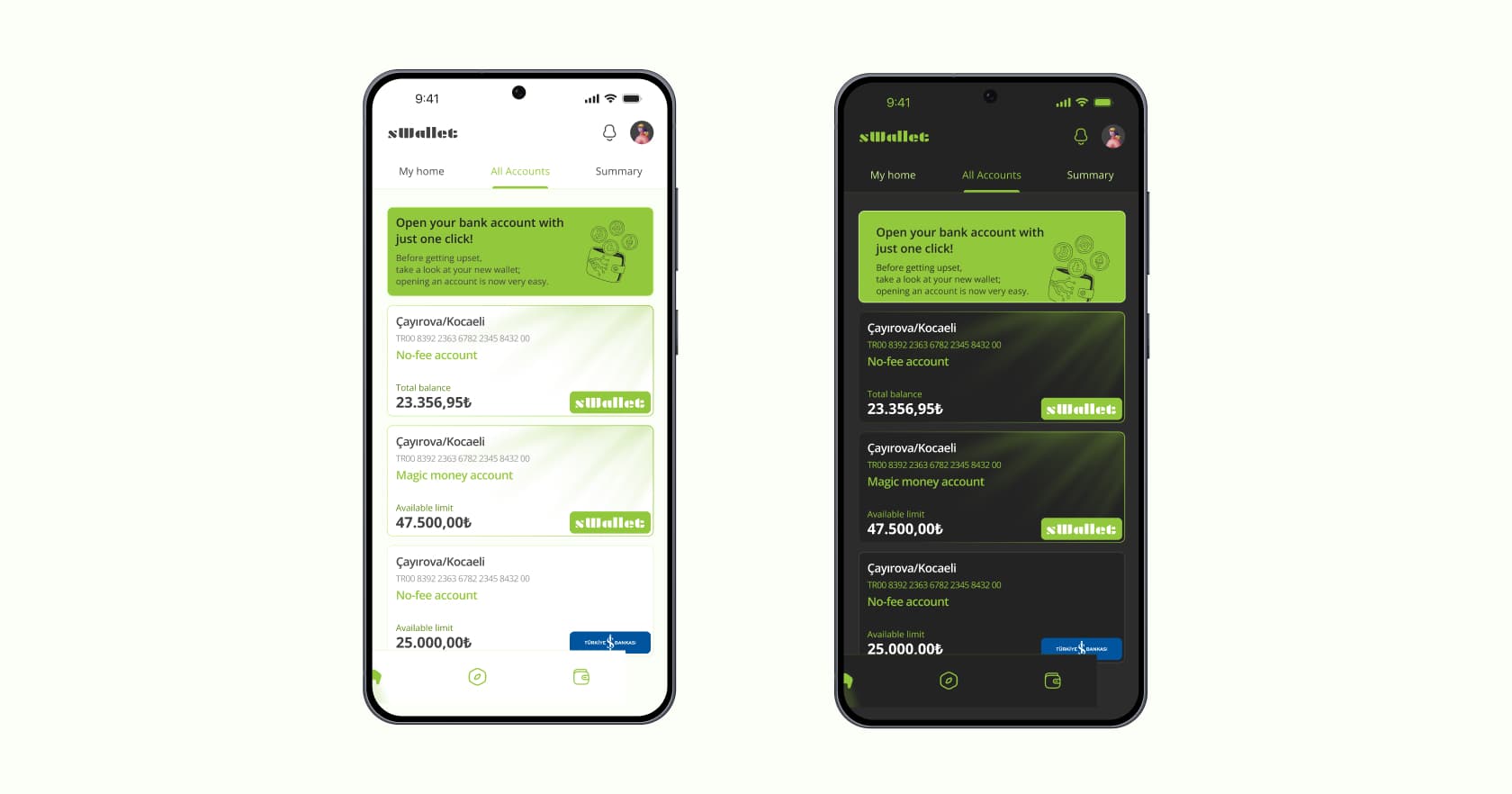
Every account, one reading path

Account list in light and dark mode, with a campaign banner on top and accounts from sWallet and another bank
  1. All accounts in one list, consistent with the rest of the experience.
  2. The brand’s own accounts stand out through its primary colour.
  3. A campaign space at the top, in the brand colour — also a nudge to open a new account.
  4. Details follow the natural reading flow. The bank sits bottom-right, at the end of the reading path, with a coloured badge so it still catches the eye.

(07) Account details

The card, its facts and its actions — grouped

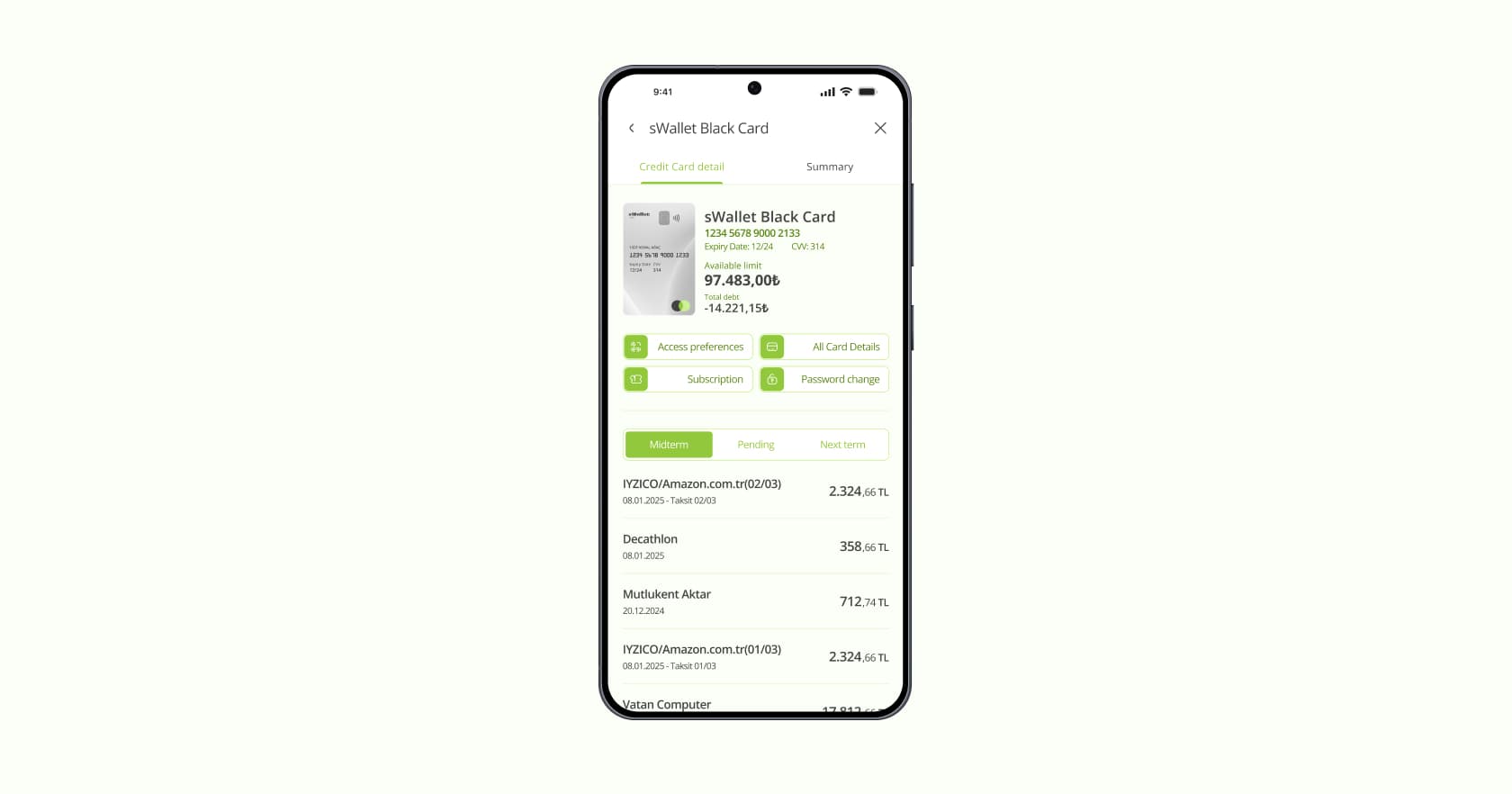
Credit card detail screen: small card image, card details, actions and transaction history with Midterm, Pending and Next term tabs
Card summary tab: spending gauge by category with a personal message
  1. A small card, top-left, so users can tell which card they’re looking at.
  2. Details right next to it, forming one visual group with the card.
  3. Actions directly below the details, so information and action read as one unit.
  4. A summary tab mirrors the home screen and gives a quick read of the card’s status.
  5. Transactions inside the card view, with secondary tabs for pending and upcoming ones.
  6. No bottom navigation on this deeper screen, to maximise space — with clear exits back and home.
Next project
Testtally
View →